Best 3 Skills for Faceless YouTube B-roll (2026)
Best skills for faceless YouTube B-roll on TubeMarket: shot prompts matched to each line, a Claude Code toolkit that generates stills and clips, and Remotion skills for charts and maps. Fit only.
By TubeMarket · · b-roll, faceless youtube, ai video, remotion
Faceless B-roll is the picture a viewer sees while a voice talks. Matching a shot to the line, generating that still or clip, and building a chart or a map in code are steps of that job. This guide ranks the automation skills on the TubeMarket shelf whose job is one of those steps. It is a fit ranking: which step the skill is built for, where it runs, and what the listing and the skill file actually say. It is not a picture-quality test, and it does not invent views, ratings or revenue.
The Visuals / B-roll stage also lists tools: image models, video models, stock pipelines, and renderers. Those are ranked in Best AI B-roll tools for faceless YouTube. This page ranks three automation skills. One writes the prompts and does not call an API. One is a Claude Code workspace whose own files name image generation, video generation and text overlays. One teaches an agent to build type, charts and maps in Remotion. A directory is not included. A tool that paints a still, or that pulls a Pexels clip, is linked later, not ranked. The same Remotion skills, judged as a camera edit or as captions, sit in Best 5 skills for YouTube video editing and Best 4 skills for YouTube captions.
We judged each skill on four things:
- Step: match a shot to a line, generate a still or a clip, or build motion graphics in code
- Where it runs: in a chat agent that only writes prompts, or inside Claude Code
- Access: the listing price, and whether a generation step needs a hosted API or a cloud GPU
- What we can check: the TubeMarket listing, and the skill file or README on 14 November 2026
Quick picks
- Match every line to a shot, before you generate: broll-prompt-director
- Generate the still, the short clip, and a text overlay: claude-code-video-toolkit
- Charts, maps and type, with no generation model: remotion-dev-skills
A faceless channel can use all three. A talking-head channel that only needs cutaways can stop at the prompt skill and paste those prompts into a tool it already has. The format changes the aspect ratio. It does not add a fourth B-roll skill to this ranking.
TubeMarket catalog, ranked
The order below is the order of the work: the shot list, then a generated picture, then a picture built in code. It is not a quality score.
Only one of the three is filed on the Visuals / B-roll stage. The other two do a picture step and are filed under other stages, which is why a browse of that stage alone misses them.
1. broll-prompt-director: the shot list
Write B-roll prompts for every line of your script
 broll-prompt-director · by TubeMarket Studio
Writes B-roll prompts matched to each line of your script, ready to paste into your image or video tool. No API key needed.
For: Visuals / B-roll · Faceless storytelling, Talking head
The listing title is "Write B-roll prompts for every line of your script". The shelf files it as an automation skill for the Visuals / B-roll stage, free, MIT, owned by TubeMarket Studio. The formats on the listing are faceless and talking head. The listing says it matches B-roll prompts to each line, that the prompts are ready to paste into the image or video tool you already use, and that it needs no API key. The compatible agents on the listing are Claude Code and ChatGPT. There is no requires line.
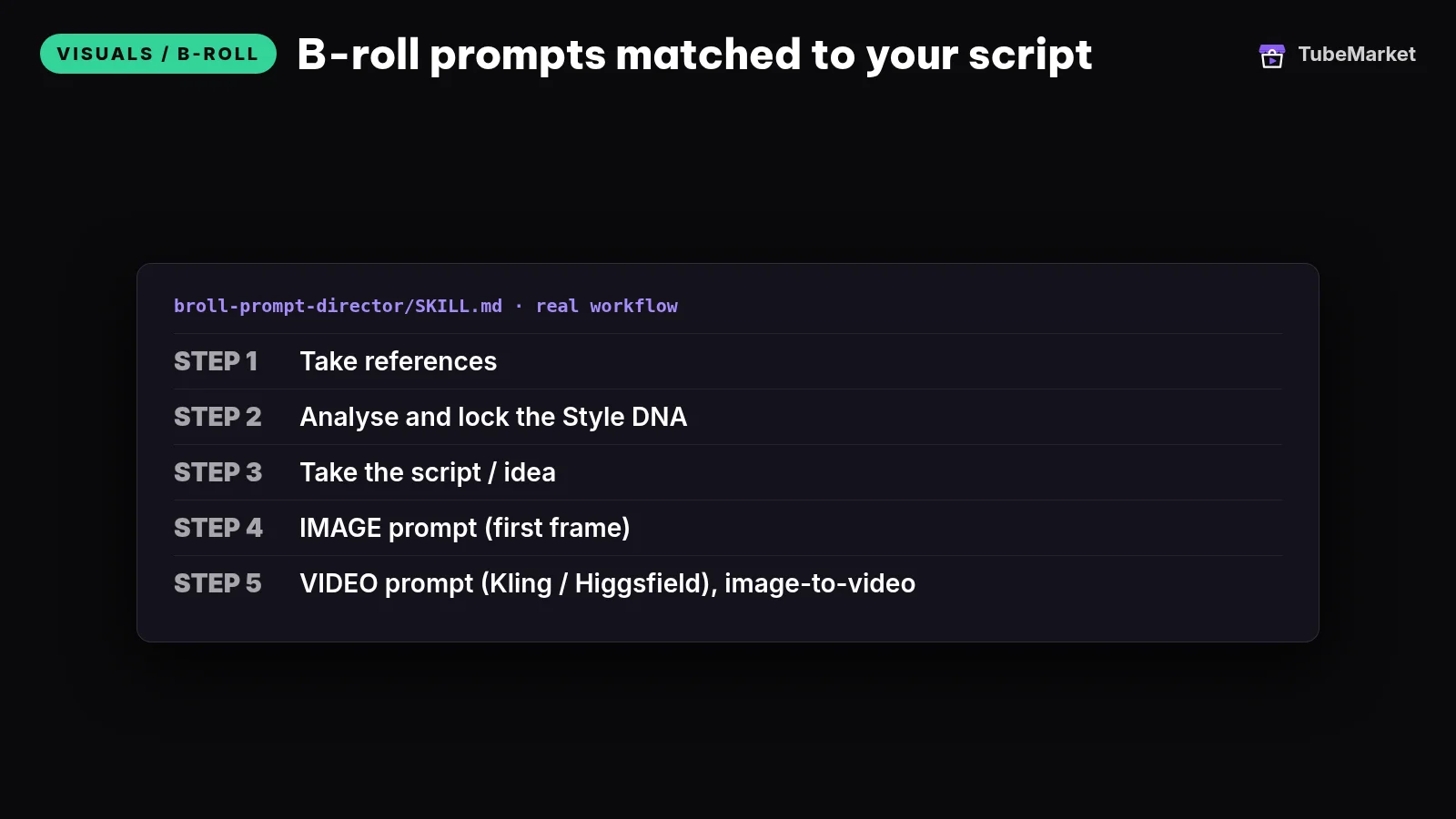
The skill file says the skill only writes prompts. Generating the images and clips happens in whatever tool you already have. The end goal it names is a set of 3–5 second clips, slow camera, one consistent style. The file's own order is five steps: take references, lock a Style DNA, take the script, write an image prompt for the first frame, then write an image-to-video motion prompt.
The file says to lock that Style DNA once and paste it into every image prompt. It names nine axes: colour, light, lens and depth of field, grain, camera-movement style, mood, composition and aspect ratio, how the subject is treated, and an aesthetic reference. With no reference, it says to use a default it names (warm-dark cinematic, a 35–50mm lens, shallow depth of field, light grain, slow camera) and to say that it is the default. It tells the agent to show the card and wait before writing a batch.
For a script, the file says to split beats by speech rhythm, usually one beat per 5–15 seconds of talk, and to settle what the viewer should see before writing the prompt. The image prompt is the first frame. The video prompt is motion only: one camera move, two or three timed beats, and a negative prompt. The file says to give both a Higgsfield variant and a Kling variant unless you name one tool. It says the prompt text stays in English. It says a video prompt that re-describes the look is how a clip morphs, and that fast motion and close-up faces are where the video model breaks. Kling and Higgsfield are not TubeMarket listings. They are the tools the file writes prompts for.
The same file points the agent at references/style_dna.md, references/gemini_image.md and references/video_motion.md for the prompt structure. A single beat is answered in chat. A whole script becomes one markdown file named [video-name]-broll.md.
- Pros: the job is matching B-roll to the script, before a model spends a run. The listing says it needs no API key. One style card is how the file keeps a set looking like one camera.
- Cons: a prompt file is not a clip. It does not search stock, and it does not place shots on a timeline. You still paste the prompts into a generator. The file says the prompt text itself stays in English even when you talk to the agent in another language.
Use this for matching B-roll to the script. You still decide which line needs a picture.
2. claude-code-video-toolkit: generate the still and the clip
Produce Remotion videos with Claude Code
 claude-code-video-toolkit · by digitalsamba
Make videos with Claude Code: script, AI voiceover, music, video clips and render, on open-source models that cost cents
For: Script, Voiceover · Screen tutorial, Faceless storytelling
★ 2.4k GitHub stars
The listing title is "Produce Remotion videos with Claude Code". The shelf files it as an automation skill for Script, Voiceover and Editing, not for Visuals / B-roll. The formats on the listing include faceless. Free (open source, self-host), MIT. The requires line is Claude Code or Cursor. The shelf records the AI requirement as Claude plus a TTS key.
On 14 November 2026 the README says you tell Claude Code what video you want and it writes the script, generates the voiceover, music and visuals, and renders an MP4. The quick start it gives is clone, then uv sync, then open Claude Code. It says the requirements are Node.js 22+ and Claude Code, with uv recommended and FFmpeg optional. The script, captions, Shorts and editing guides leave this listing unranked, because on those pages the job is one step and this listing's job is the finished video. This page ranks it for the picture skills in the repo, and not for the script or the voice.
The README's skills table, and the .claude/skills folder on the same day, name the picture work:
ideogram4writes prompts for Ideogram 4 stills, including frames that need readable text. The skill file says the toolkit calls Ideogram's hosted v4 API, that paid API plans include a commercial license, and that the self-hostable weights are non-commercial. The same file says the cost is about $0.03 an image on turbo and about $0.10 on quality. Those are the file's figures, not a test we ran.ltx2is the clip skill. Its description says to use it for text-to-video, image-to-video, B-roll, animated backgrounds and motion. The skill file says it generates clips of about 5 seconds with LTX-2.3, that the max it names is about 8 seconds, and that image-to-video takes a still you already have. It says the model runs on Modal, and that you setMODAL_LTX2_ENDPOINT_URL. Its technical details say about $0.07 for a 5-second clip when the GPU is warm and about $0.12 when it is cold. Those are the file's figures. The same section says the license is a community license, free under $10M revenue, with a commercial license above that. It says LTX-2.5 is a deploy-time opt-in, not the default, and that its license text adds: do not remove watermark or provenance features. A known limitation in the file: about 30% of generations may have unwanted logos or text, and the model cannot reliably render readable text.qwen-editedits a still. The skill file says the default model is Apache-2.0 and fine for commercial use, and that the Qwen-Image-2.1 opt-in is non-commercial.video-designis the look of the scenes: colour by act, type, chart and layout rules for 16:9 and 9:16, then a contact-sheet critique of the render.moviepyputs text on top of a generated clip. The skill file says to use it for labels, lower thirds and captions on LTX-2 output, because a name or a price has to be exact and the video model will not guarantee that. That matches the ltx2 file's limit on text.remotionin this repo is toolkit-specific components, including backgrounds and a logo watermark. The file says core Remotion knowledge lives inremotion-official, synced from remotion-dev/skills. That official pack is ranked next, on its own listing.
The README also documents tools/flux2.py for stills. The comment on that command says FLUX.2 klein 4B is the default path, and that klein-9B is a non-commercial opt-in. The same README's skills table includes voice, music and a talking-head path. Those are not why this listing is on this page. Voice tools are ranked in Best AI voiceover tools for faceless YouTube.
- Pros: this is the shelf skill whose files name a still generator, a B-roll clip generator and a text overlay. Image-to-video is the order the prompt skill asks for: lock a frame, then move it. The code license on the listing is MIT.
- Cons: the listing's job is the whole video, so the script, the voice and the music come with it. A generated clip is illustration. The code is free to clone. The ideogram and ltx2 files say the image and the clip are billed API or GPU runs, and each states a license limit a monetized channel has to read. It does not search a stock library.
Use this for generating B-roll. You still reject a shot that does not match the line, and you still read the license the skill file names before a channel that earns money ships the clip.
3. remotion-dev-skills: charts, maps and type
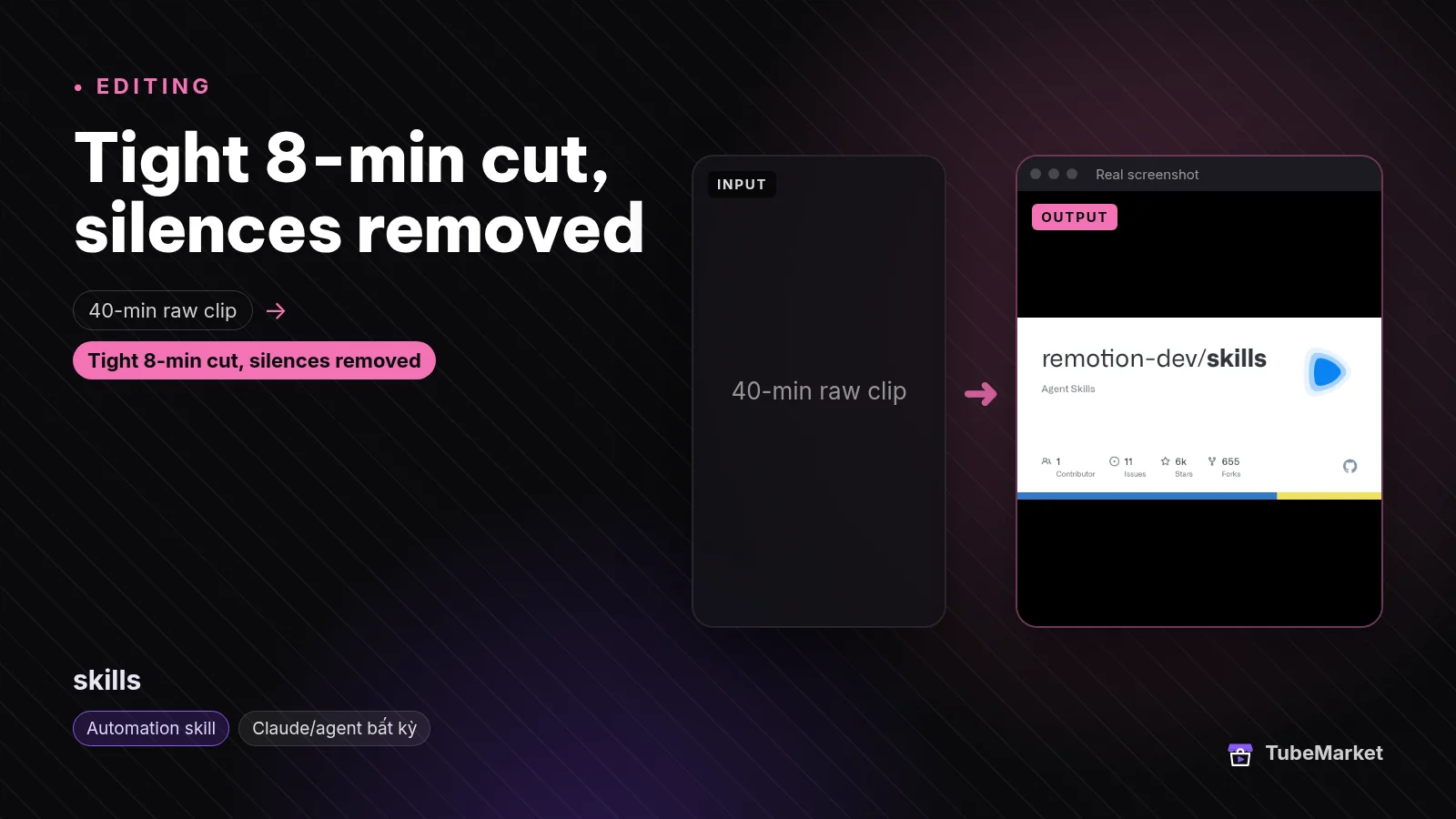

The listing title is "Teach Claude Code to build Remotion videos". The shelf files it under Editing and Captions, not under Visuals / B-roll. The listing says it is free and open source, that a license is not stated, and that it requires Claude Code or Cursor. What the listing says it does: official Agent Skills from Remotion that help an agent write Remotion video code.
On 14 November 2026 the README says Remotion maintains these skills as best practices for Remotion projects, for agents including Claude Code and Cursor. The install line it gives is npx skills add remotion-dev/skills. That page lists 13 skills. The ones that are the picture are /remotion-markup (compositions, animation, layout, type, media, effects and timing) and /remotion-maps (static maps, animated routes, geographic explainers). /remotion-render exports a video or a still. /remotion-studio is the preview. /remotion-captions is a caption skill, ranked in the captions guide, not here. The others are a project starter, docs, a license lookup, upgrades, SaaS architecture, interactivity, multimedia metadata, and a best-practices skill that contains the rest. The same docs live at remotion.dev/docs/ai/skills.
The GitHub repository, checked the same day, does not report a license file. The separate listing Remotion skills pack says the license is the Remotion License and that the price is free. It describes the same family as 13 preinstalled skills. This page does not rank that pack as a second method. The toolkit above vendors a copy of these skills as remotion-official. Use /remotion-license, which the README says looks up Remotion's license, before you publish. This page does not restate those terms.
The tools guide ranks the Remotion library, which is a tool, for charts and cards. This page ranks the agent skills that write that code.
- Pros: the motion-graphics step, when the picture is type, a chart or a map rather than a generated street. A label you type in code is the workaround the ltx2 file asks for, because that model does not render readable text reliably.
- Cons: it does not generate a photographic clip, and it does not search stock. You are editing code, with an agent. The license is not stated on this listing. It does not trim a stock cutaway to a voice track.
Use this for motion graphics and overlays built in code, and for the render of that picture.
A practical B-roll workflow
Chain them in this order. Skip a step when you do not need that job.
- Write the script first, if you do not have the words yet. That job is ranked in Best 3 skills for YouTube scriptwriting. The prompt skill and the Remotion skills do not write the script. The toolkit README says its
/videopath can write the script as part of the whole video. Use that path when the deliverable is the video. Use the script guide when the deliverable is a script. - Mark each spoken beat as evidence, explanation or illustration. A generated scene can set a mood. It is the wrong picture for a fact you did not source. The tools guide quotes the model cards that say this, and YouTube's altered-content page.
- Write the shot list with broll-prompt-director. Lock one Style DNA for the episode. The file says to show that card and wait before the batch. Set the aspect it names: 16:9 for a horizontal video, 9:16 for a Short.
- Generate the still, then the clip, with claude-code-video-toolkit when you want that workspace. The ltx2 file's own chain for a moving shot is an image from
flux2.py, thenltx2.py --input. Useideogram4when the still itself must contain readable text, and read the commercial-license line in that file. Or paste the prompt skill's text into a model ranked in the tools guide: FLUX, Wan, LTX-Video, or a stock pull. This page does not re-rank those tools. - Put exact words on afterwards. The ltx2 file says the clip cannot reliably render text, and that about 30% of generations may include unwanted logos or text.
moviepyin the toolkit, or/remotion-markupin the Remotion skills, is the overlay. Check the clip before it goes on a timeline. - Draw numbers, maps and titles with remotion-dev-skills when a generated clip would invent the fact. Export with
/remotion-render. - Leave the voice and the cut as their own jobs. The voice is covered in Best AI voiceover tools for faceless YouTube. None of these three listings describes a skill whose only job is trimming cutaways to each line of a voiceover. Silence cuts and punch-ins on a talking file are ranked in the editing skills guide. Captions are ranked in the captions guide.
- Read the shot against the line before you upload. A pretty clip that ignores the sentence is the original faceless problem.
Browse every visuals listing, including the tools this page does not rank, on the Visuals / B-roll stage. For a faceless channel, start from faceless storytelling. A filmed video that only needs cutaways on top of a person can start from Turn a talking video into a vertical short.
How to choose
- Start with the shot list when you do not yet know what the viewer should see. That is
broll-prompt-director. It is the only one of the three filed on the Visuals / B-roll stage. - Generate inside Claude Code when you want the still and the short clip from the toolkit's own skills, and you accept a hosted image API or a Modal GPU. That is
claude-code-video-toolkit. Read the license lines those skill files name. - Build the picture in code when the line is a number, a route or a label. That is
remotion-dev-skills. - Use stock when the object or the place has to be real. That job, on this shelf, is a tool. The tools guide ranks MoneyPrinterTurbo and the Pexels Shorts workflow. There is no automation skill here whose only job is that search.
- The prompt skill's listing says it needs no API key. The toolkit's generation files say the opposite for the clip and the Ideogram still: an endpoint, and a price the file states.
- Keep the taste. The skill can write the prompt or the component. You still decide the shot, and you still drop the one that does not match the line.
On the shelf, but not these B-roll skills
Real listings. A different job, so they are not in the ranking above.
- The same Remotion skills, already on disk. Remotion skills pack is a separate listing. The title is "Get 13 preinstalled Remotion skills for Claude". The price on that listing is free. The license label is Remotion License. The requires line adds Node.js 18+ and Remotion. It is the same family as
remotion-dev-skills, not an extra technique. The toolkit'sremotion-officialfolder is a third copy of that family, inside the generation workspace. - A directory filed on Visuals / B-roll. anthropics-skills is an automation skill. The listing title is "Learn from Anthropic's official Agent Skills". The shelf files it under Script and Visuals / B-roll. The listing says it is a public repository, names canvas-design, algorithmic-art and slack-gif-creator, and calls it a reference for writing your own video skills. On 14 November 2026 those three folders are in the repo. The README describes demonstration skills, from art, music and design to technical tasks. It does not describe a shot list for a YouTube script. The license on the TubeMarket listing is not stated. The README says many skills in the repo are Apache-2.0, including the document skills. A directory does not write a prompt or render a clip.
- Another directory. awesome-claude-skills is filed under Idea, Script and Editing. The listing says it is a curated list, with a media and video section. A list does not fetch footage.
- Tools. FLUX, Fooocus, Wan, LTX-Video, MoneyPrinterTurbo, the Pexels Shorts workflow, the Remotion library, HyperFrames, ComfyUI and Upscayl are tools. They are ranked in Best AI B-roll tools for faceless YouTube. HyperFrames is filed under Editing and Visuals / B-roll, and the shelf type is tool, so it is not a fourth skill here. Remotion the library is the same split: the tool guide ranks the renderer, this page ranks the skills.
- Talking-head edit skills. silence-cutter, auto-reframe, punch-zoom and video-shorts-pipeline cut, crop or zoom a person who is already on camera. They are ranked in the editing and Shorts guides. They do not source a faceless cutaway.
Comparison
- broll-prompt-director: Visuals / B-roll; free; MIT; writes an image prompt and a motion prompt per beat; the skill file says it makes no API call; 3–5 second clips are the end goal it names, not a file it renders
- digitalsamba-claude-code-video-toolkit: Script, Voiceover and Editing; free code, MIT; Claude Code;
ideogram4stills via a hosted API,ltx2clips of about 5 seconds on Modal,moviepytext overlays; the ltx2 file says a community license, free under $10M revenue - remotion-dev-skills: Editing and Captions; listing says free and open source, and that a license is not stated; 13 agent skills;
/remotion-markupand/remotion-mapsare the picture;/remotion-renderis the export - remotion-skills-pack: not a separate rank; the same Remotion skills, preinstalled; the listing says Remotion License and free
- anthropics-skills: not in this ranking; a directory filed on Visuals / B-roll; the listing does not state a license
- heygen-com-hyperframes and remotion-dev-remotion: tools, ranked in the tools guide
Prices, API rates and licenses change. Verify them on each project's page. The dollar figures above are the ones those skill files stated on 14 November 2026.
FAQ
What are the best skills for faceless YouTube B-roll? On TubeMarket, the automation skills whose job is a step of the picture are broll-prompt-director, claude-code-video-toolkit and remotion-dev-skills. "Best" here means which step they fit. We did not score them against each other.
What is an AI B-roll skill on this shelf? A skill file an agent can run, filed as an automation skill. The prompt skill writes text. The toolkit's files name image generation, clip generation and text overlays. The Remotion skills tell the agent how to write the picture in code. Image models, stock apps and the Remotion library are tools. They are in the tools guide linked above.
Does the prompt skill render the clip? The skill file says it makes no API calls. You paste the prompts into a tool you already use, or you generate with the toolkit. The file's 3–5 second length is the clip it is writing a prompt for.
Can I use a generated clip as proof? Use it as illustration. The ltx2 skill file says about 30% of generations may include unwanted logos or text, and that readable text in the clip is unreliable. The tools guide quotes the FLUX and LTX model cards that say those models are not a source of facts. For a number or a place you can source, use a chart or a map in the Remotion skills, or stock whose license you have read.
Do Shorts need a different skill? The prompt skill file says to set 9:16 for Shorts and 16:9 for a horizontal video. The video-design skill says its layout rules cover both. None of the three picks the highlight out of a long recording. That job is discussed in the Shorts skills guide.
Will a B-roll skill get the video views? A picture is one step. The script, the title, the thumbnail and whether anyone clicks are separate. This page does not quote views, watch time or revenue.
Catalog gaps
TubeMarket does not yet list:
- an automation skill whose only job is searching licensed stock and returning clips (that pull, on this shelf, sits inside tools ranked in the tools guide),
- a skill that takes the prompt file from broll-prompt-director and renders those exact prompts, with no separate generator and no whole-video workspace,
- a skill whose only job is placing cutaways on a voice track and trimming each one to the line,
- a license on the remotion-dev-skills listing.
The prompt skill is documented in the public skill file linked below. The toolkit's generation limits and prices are the ones its own skill files state. The Remotion skills listing does not state a license. Those gaps are real.
Sources
- TubeMarket, B-roll Prompt Director: https://tubemarket.io/item/broll-prompt-director/
- TubeMarket, claude-code-video-toolkit: https://tubemarket.io/item/digitalsamba-claude-code-video-toolkit/
- TubeMarket, remotion-dev-skills: https://tubemarket.io/item/remotion-dev-skills/
- TubeMarket, Remotion skills pack: https://tubemarket.io/item/remotion-skills-pack/
- TubeMarket, anthropics-skills: https://tubemarket.io/item/anthropics-skills/
- broll-prompt-director skill file: https://github.com/wanghie/tubemarket-skills/blob/main/skills/broll-prompt-director/SKILL.md
- claude-code-video-toolkit README, checked 14 November 2026: https://github.com/digitalsamba/claude-code-video-toolkit
- ideogram4 skill file: https://github.com/digitalsamba/claude-code-video-toolkit/blob/main/.claude/skills/ideogram4/SKILL.md
- ltx2 skill file: https://github.com/digitalsamba/claude-code-video-toolkit/blob/main/.claude/skills/ltx2/SKILL.md
- qwen-edit skill file: https://github.com/digitalsamba/claude-code-video-toolkit/blob/main/.claude/skills/qwen-edit/SKILL.md
- moviepy skill file: https://github.com/digitalsamba/claude-code-video-toolkit/blob/main/.claude/skills/moviepy/SKILL.md
- Remotion Agent Skills README, checked 14 November 2026: https://github.com/remotion-dev/skills/blob/main/README.md
- Remotion Agent Skills docs: https://www.remotion.dev/docs/ai/skills
- Remotion skills repository, no license file reported on 14 November 2026: https://github.com/remotion-dev/skills
- Anthropic skills README, checked 14 November 2026: https://github.com/anthropics/skills/blob/main/README.md
- Related posts: Best AI B-roll tools for faceless YouTube, Best 5 skills for YouTube video editing, Best 3 skills for YouTube scriptwriting, Best 4 skills for YouTube captions, Best 6 skills for turning long videos into YouTube Shorts, Best AI voiceover tools for faceless YouTube, Faceless YouTube: problems, skills, and cases