Best AI Video Editing Tools for YouTube Creators (2026)
Ranked: the best AI editing skills and tools for YouTube and Shorts. Silence cutting, punch-in zooms, auto-reframe and full editors, with honest pros and cons.
By TubeMarket · · video editing, ai editing, jump cuts, shorts, capcut, descript, open source
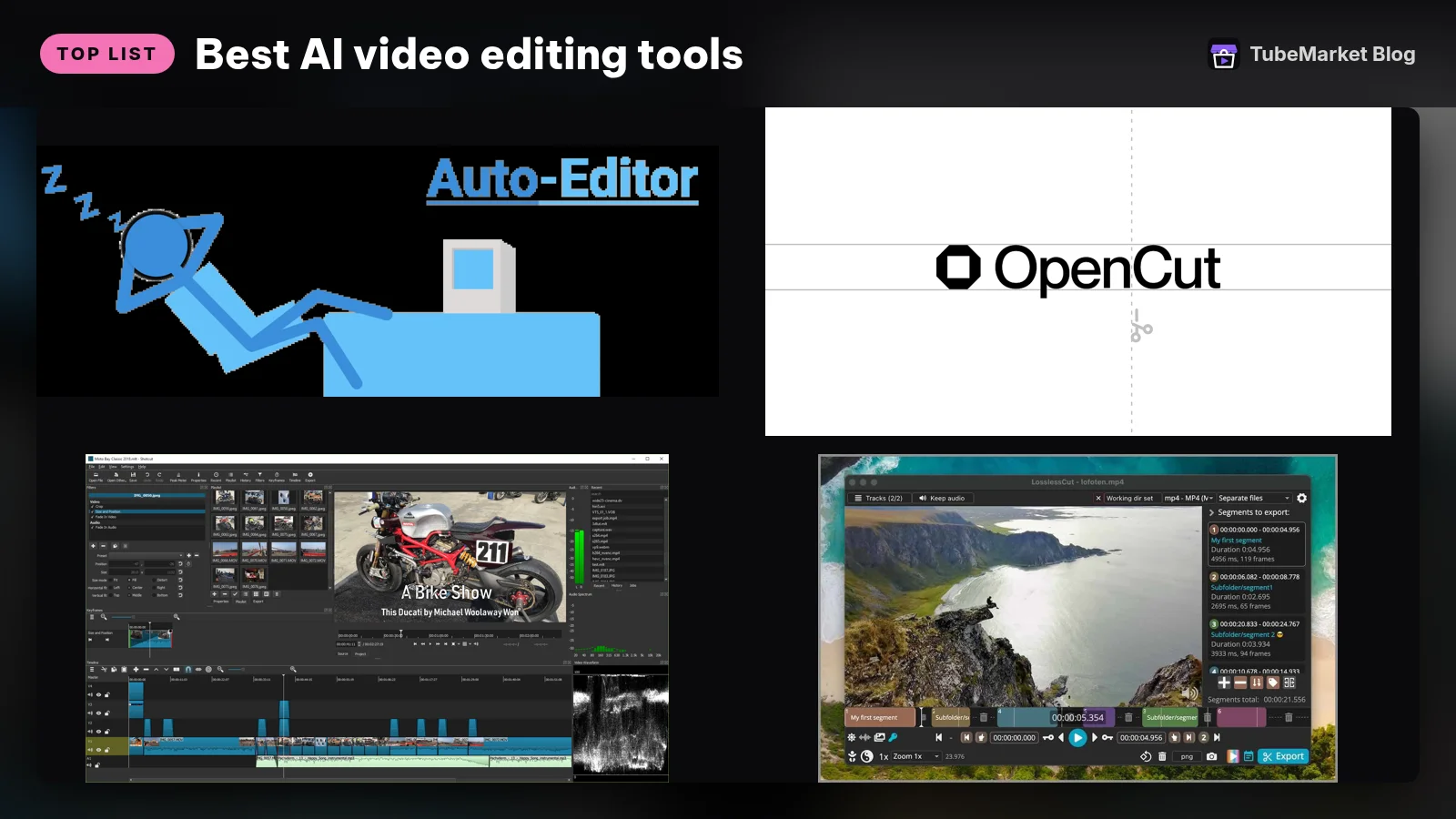
Most editing time goes to repetitive work: cutting silences, adding punch-in zooms, reframing to 9:16 and burning in captions. AI and scripts now handle these jobs well, which leaves you the creative calls. This guide ranks the editing items in the TubeMarket catalog, then covers the mainstream editors and where each one fits.
We judged each tool on four things:
- Time saved on the boring parts
- Control: can you override what it does?
- Output quality
- Cost and lock-in
Quick picks
- Remove silences and dead air: Cut Silence (
silence-cutter) or auto-editor - Talking-head punch-in zooms: Punch Zoom (
punch-zoom) - Long video → finished Shorts: Video Shorts pipeline (
video-shorts-pipeline) - Free full editor (open source): Shotcut or OpenCut
- Edit by editing text: Descript
- Mobile/short-form templates: CapCut
TubeMarket catalog, ranked
1. Video Shorts pipeline: the whole chain in one skill
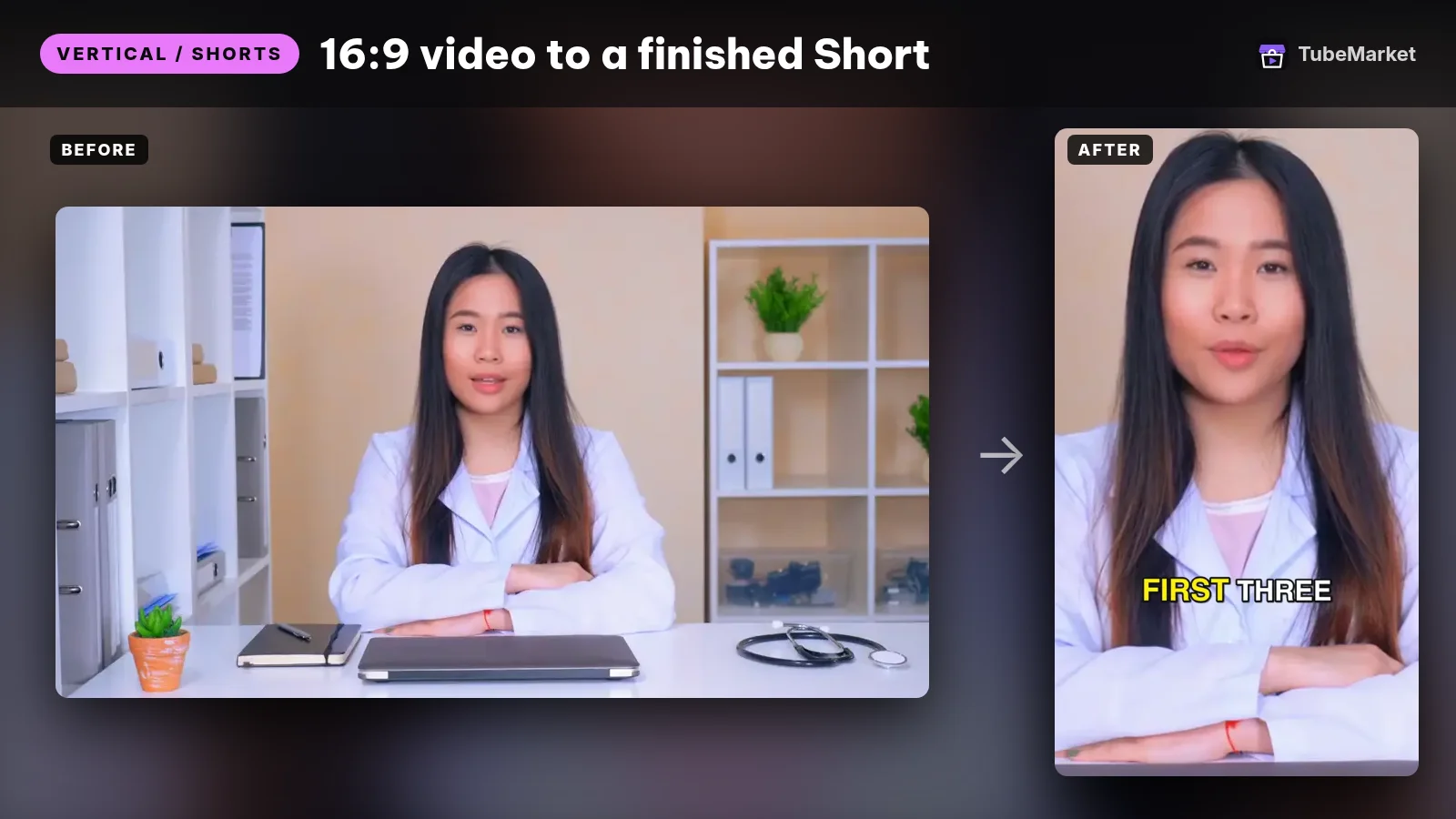
Turn a raw talking video into a finished 9:16 Short
 video-shorts-pipeline · by TubeMarket Studio
Turn one raw talking video into a finished 9:16 Short: transcript, silence cuts, face tracking, zooms, captions. No API key needed.
For: Vertical / Shorts, Editing · Shorts, Talking head
This skill chains transcription, silence cutting, 9:16 reframing, punch-in zooms and captions. You give it one long video and get vertical clips back.
- Pros: replaces five manual steps, runs locally and is built on the individual skills below.
- Cons: it's an opinionated style, so some clips need a manual polish. Setup requires a Claude/agent environment.
2. Cut Silence: jump cuts without the drudgery
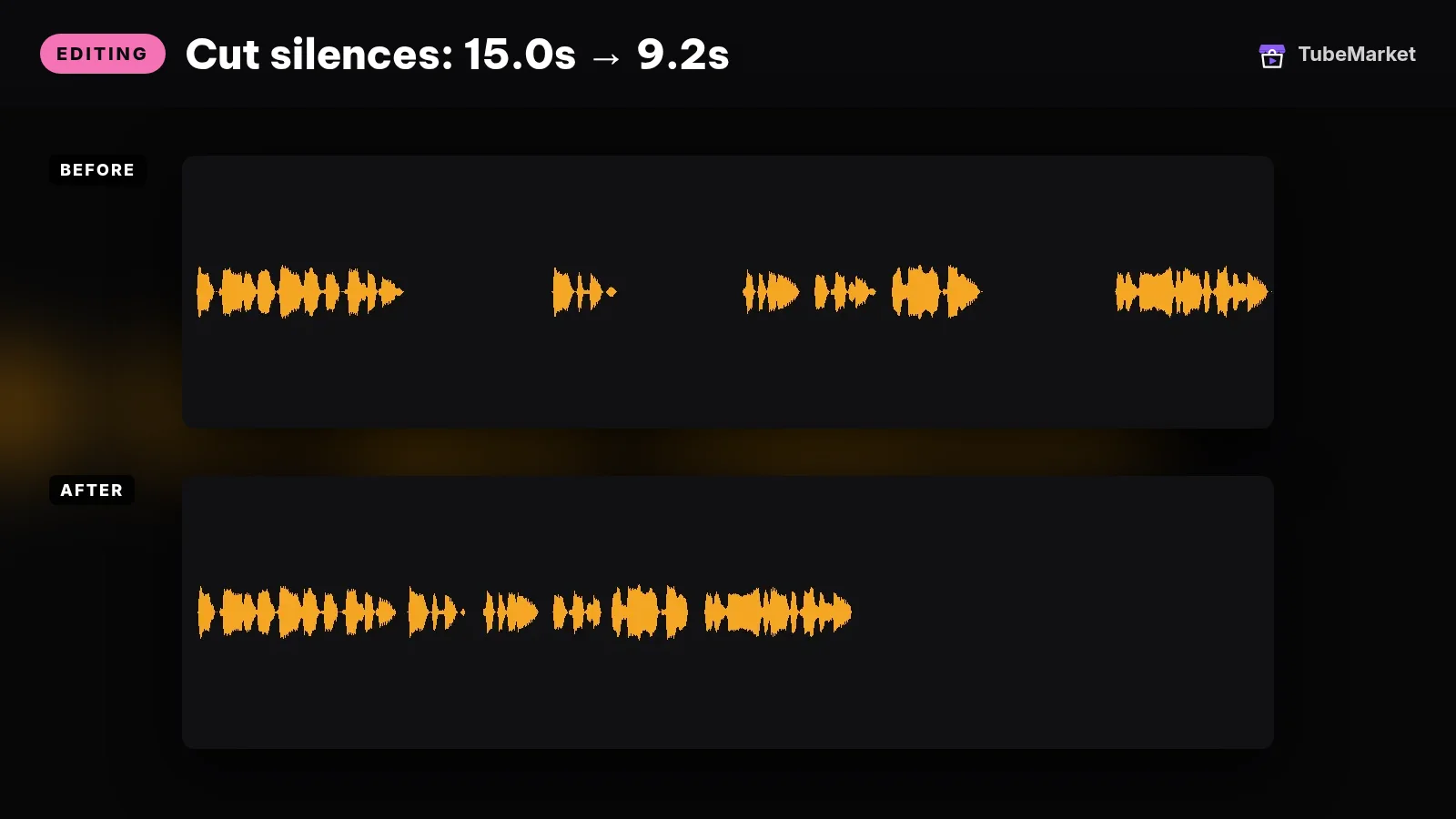
This skill detects pauses and removes them, with padding you can adjust so cuts don't feel choppy.
- Pros: saves the most time per minute of footage on talking-head content.
- Cons: an aggressive threshold can clip breaths and the timing of jokes, so preview before you export.
3. auto-editor (open source)

A popular command-line tool that cuts video based on audio loudness or motion. It can export a timeline to Premiere, DaVinci Resolve or Final Cut so you can refine the cuts there.
- Pros: free, scriptable and works with pro editors.
- Cons: command-line only, and the settings take some trial and error.
4. Punch Zoom: retention-style zooms
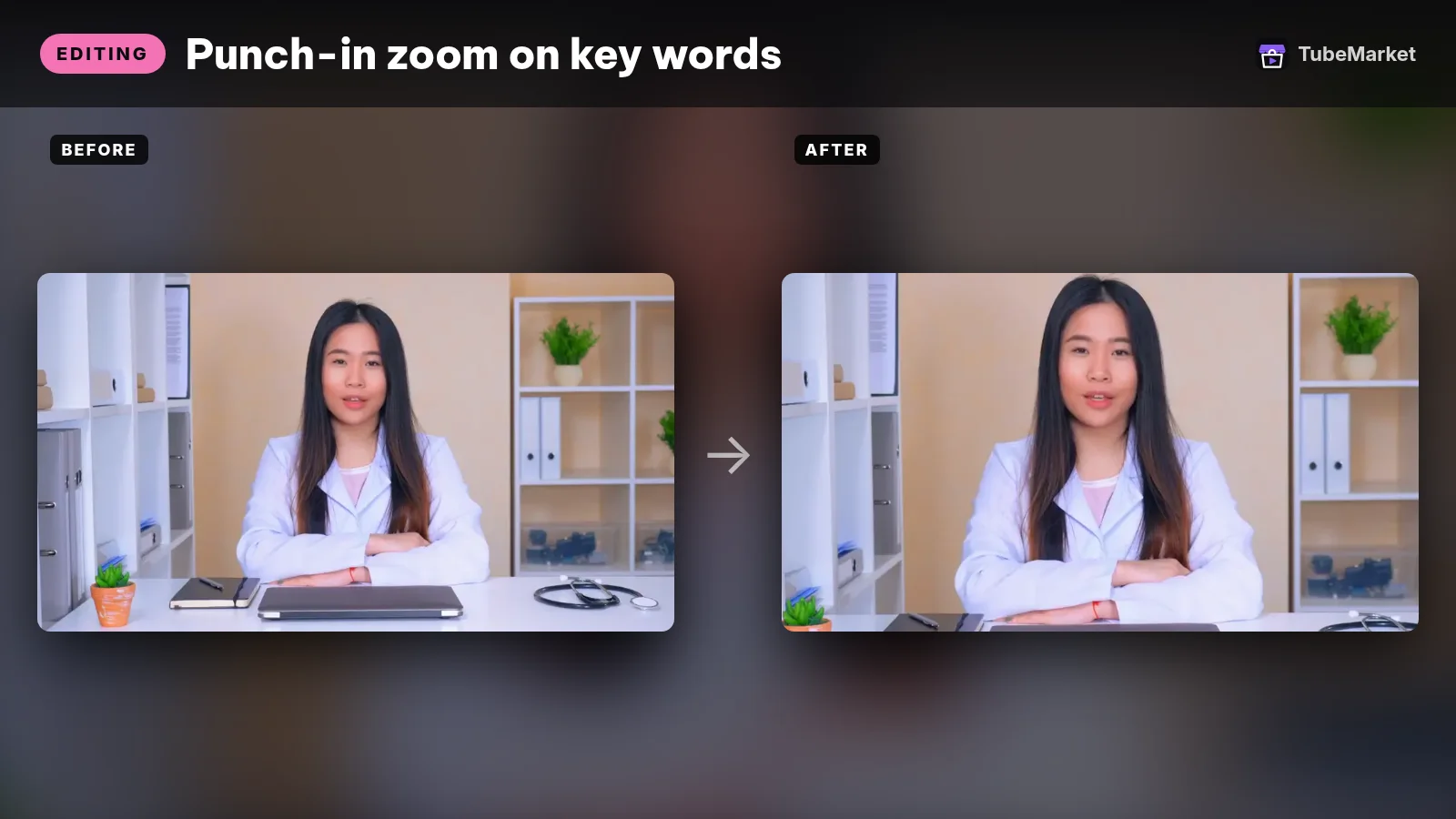
This skill adds subtle punch-ins on emphasis beats, the "zoom on the key line" look common in creator edits.
- Pros: adds motion to static talking-head shots without keyframing by hand.
- Cons: overuse looks gimmicky. Keep it to the beats that matter.
5. Reframe: 16:9 → 9:16 that follows the speaker
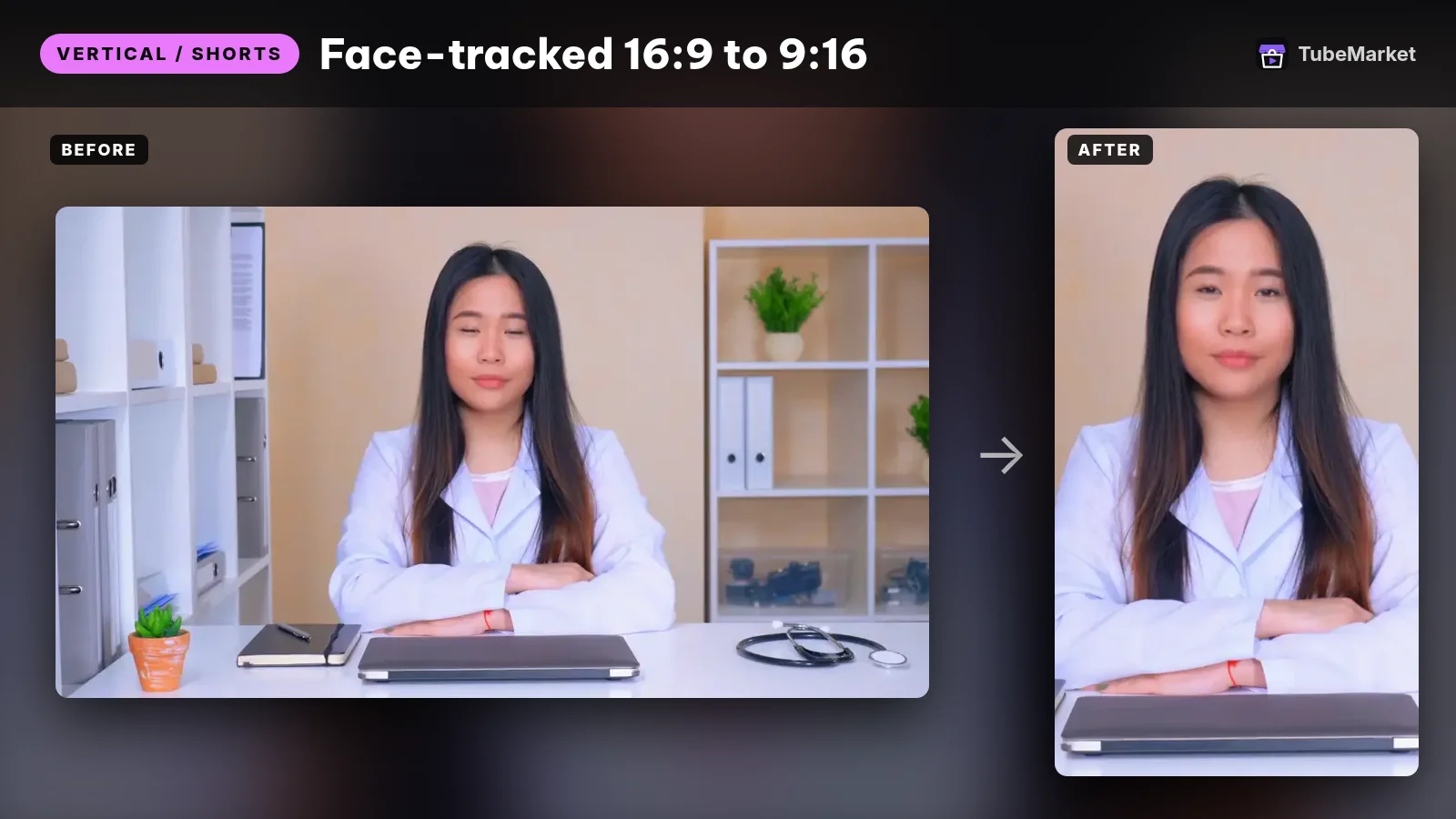
This skill crops widescreen footage to vertical while keeping the subject centered.
- Pros: essential for repurposing to Shorts, TikTok and Reels.
- Cons: multi-speaker scenes and fast motion can need manual crop overrides.
6. autocut: edit by transcript
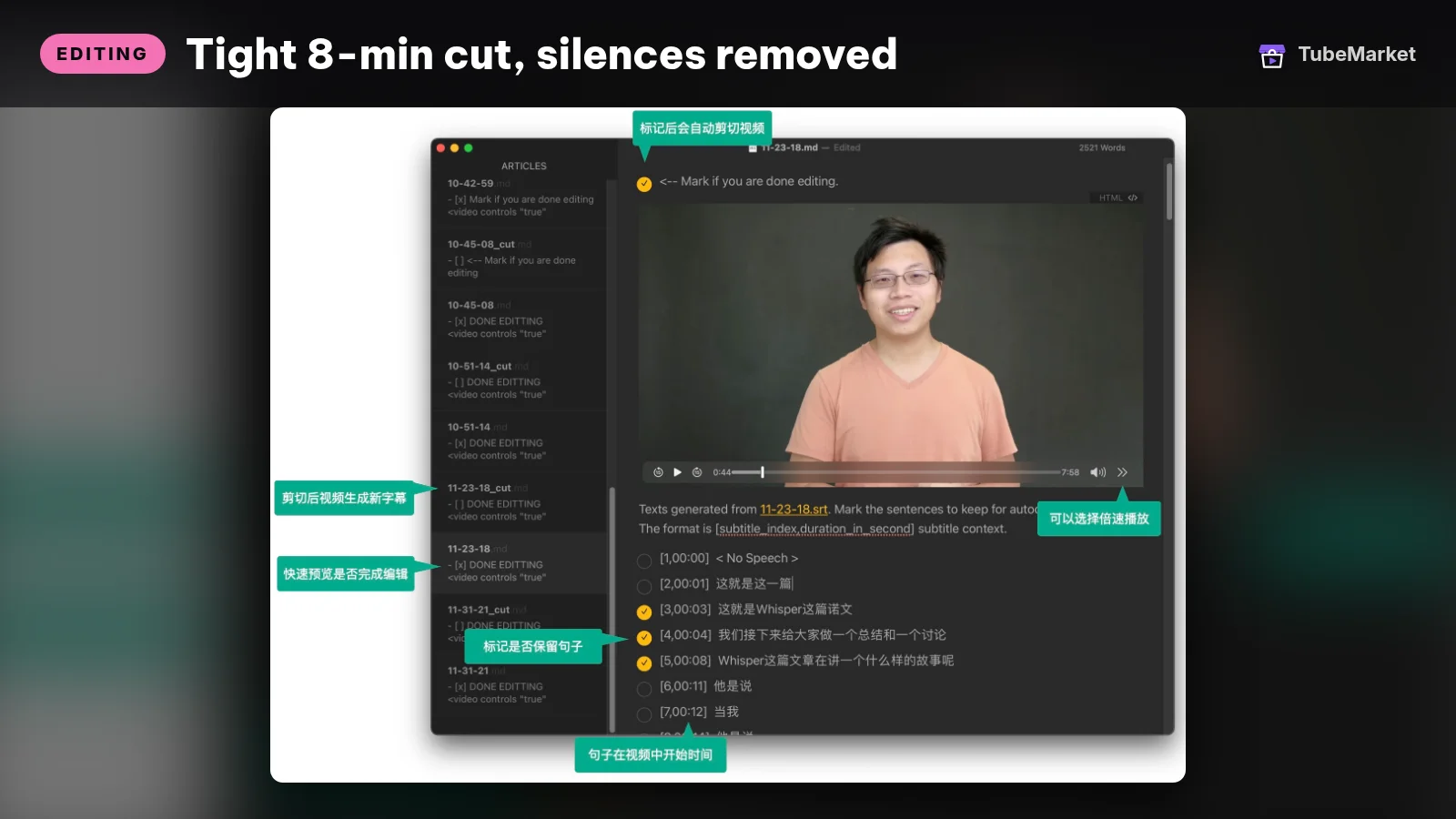
Cut videos by editing their subtitles
 autocut · by mli
Cuts talking-head and podcast videos by editing the auto-generated subtitle file: delete a line and that clip disappears from the edit. Open source (Apache-2.0); runs locally with Python and ffmpeg.
For: Editing, Captions · Talking head, Podcast
★ 7.8k GitHub stars
This tool transcribes the video, lets you delete lines in a Markdown file, and cuts the video to match.
- Pros: free, text-based editing in the style of Descript.
- Cons: basic and developer-oriented, with no visual timeline.
7. LosslessCut: fast trims with no re-encoding
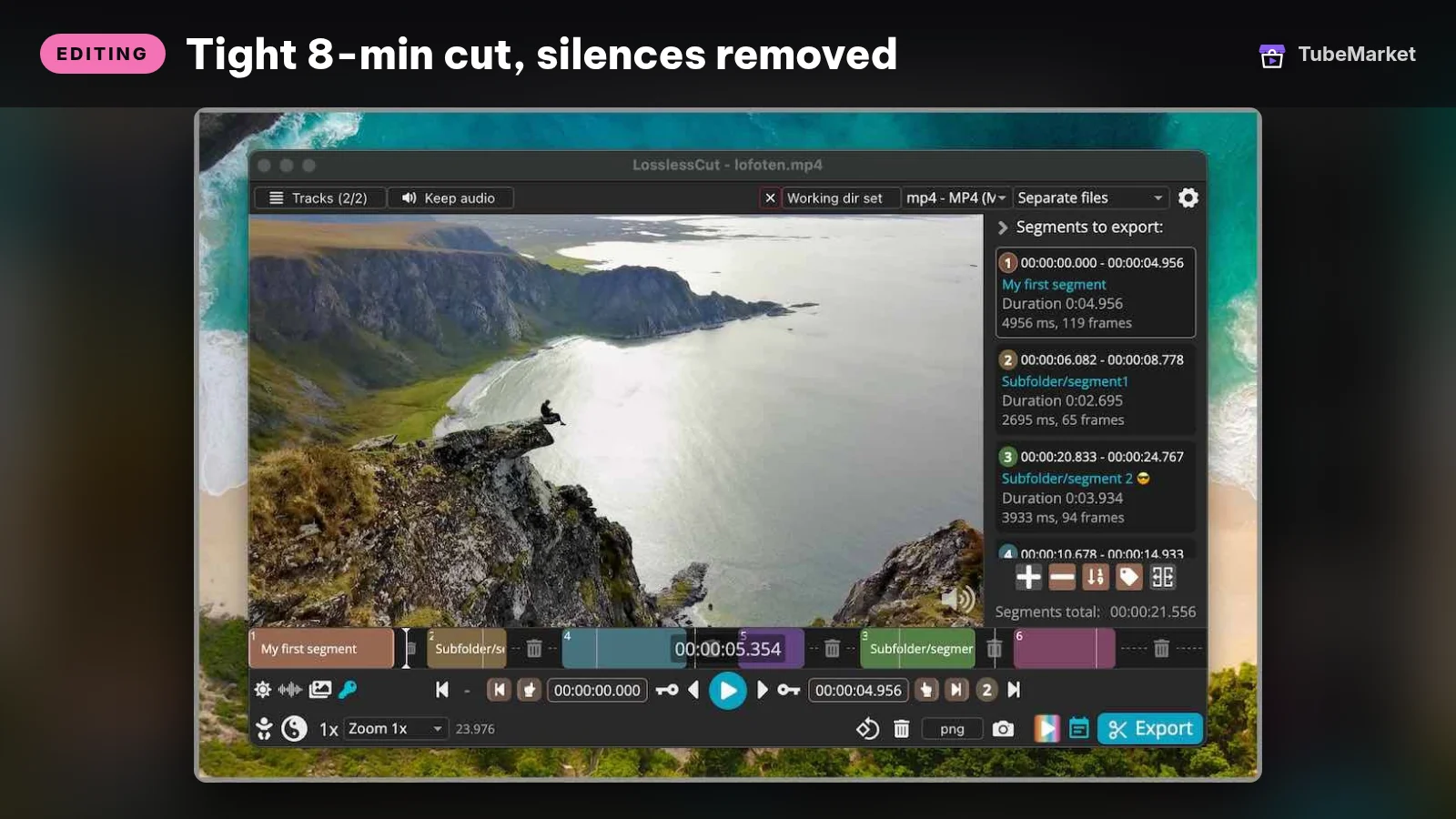

Trim and split huge recordings in seconds without losing quality.
- Pros: very fast, free, and good for cleaning up raw footage first.
- Cons: cuts land on keyframes and there are no effects; it's a pre-editor.
8. Full editors in the catalog: Shotcut and OpenCut
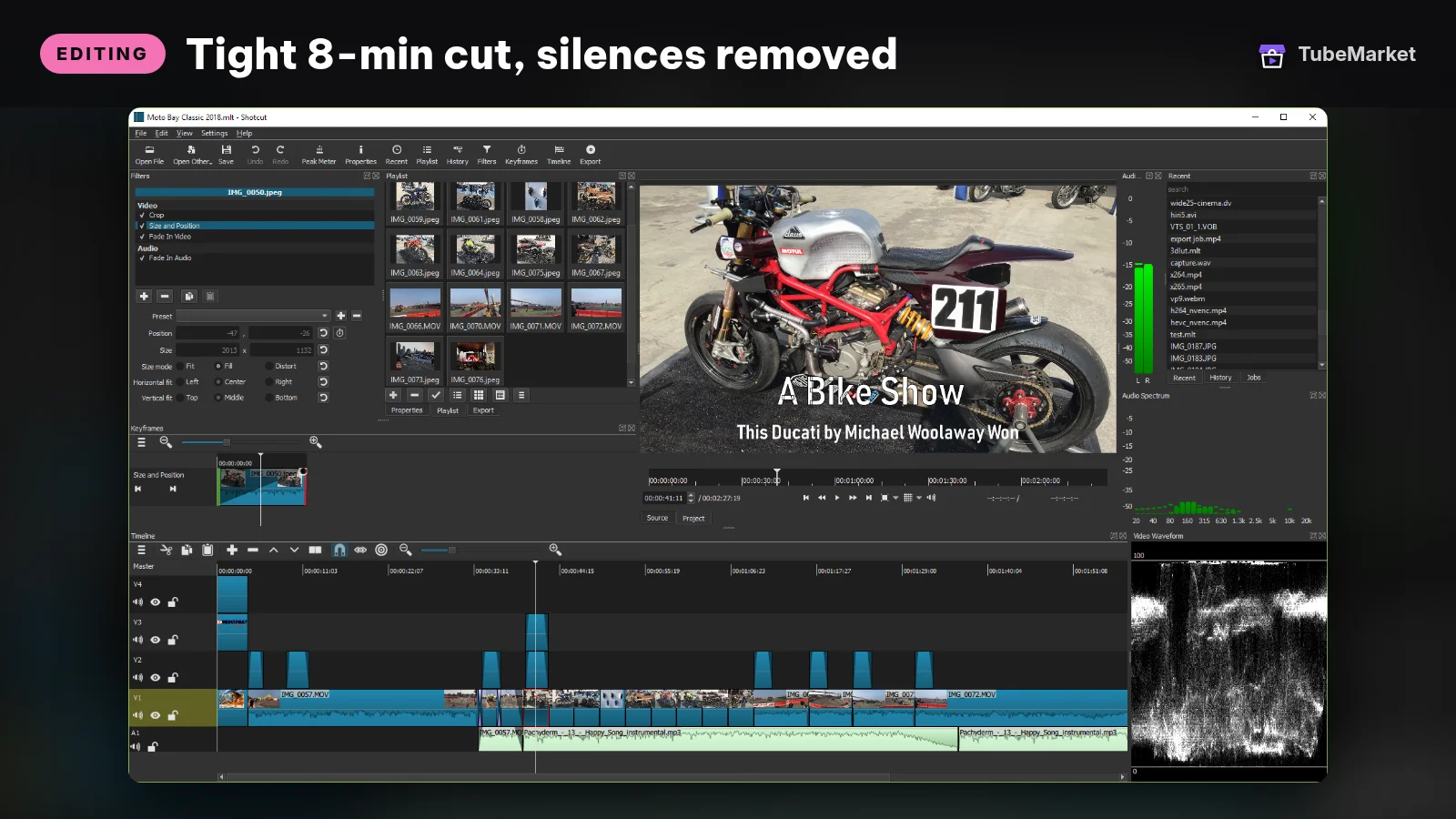


Shotcut is a mature, free, cross-platform editor. OpenCut is a newer open-source editor aiming to be a free CapCut alternative.
- Pros: free, with no watermark.
- Cons: fewer AI features than commercial tools. OpenCut is still young, so expect rough edges.
9. Finishing packs: transitions, LUTs and SFX
Free transitions, color LUTs and sound effects to finish the edit.
- Pros: an instant polish.
- Cons: popular packs show up everywhere. Use them sparingly.
Outside editors worth knowing
- Descript (<SkillCard slug="tb-082" />): edit video by editing its transcript, with filler-word removal and studio-sound features. Cons: subscription; heavy projects can feel slow.
- CapCut (<SkillCard slug="tb-083" />): fast short-form editing with auto-captions and trending templates. Cons: the best features sit behind Pro, and review its terms if you produce commercial work.
- DaVinci Resolve: a professional color and edit suite with a capable free version. Cons: steep learning curve.
- Adobe Premiere Pro: industry standard with AI features such as text-based editing. Cons: subscription cost.
Check current pricing and feature lists on each vendor's site, because they change often.
A practical editing workflow
- Trim the raw recording losslessly by removing the false starts. (mifi-lossless-cut)
- Auto-cut silences. Use auto-editor if you want an XML timeline for Premiere or Resolve. (silence-cutter)
- Add punch-ins on key lines. (punch-zoom)
- Add captions for the Shorts versions. (word-captions)
- Reframe the best moments to 9:16. Or run the whole chain with the Video Shorts pipeline. (auto-reframe)
Do the creative pass yourself: story order, b-roll choices and the ending.
How to choose
- Map your footage first. Talking-head footage benefits most from silence cutting and punch-ins. Gameplay and B-roll-heavy edits benefit more from a full timeline editor. Podcasts need multi-cam switching, which TubeMarket doesn't cover yet.
- Choose a tool that fits the editor you already use. If you finish in Premiere or Resolve, pick tools that export a timeline (auto-editor does) instead of rendering a flat file you can't adjust.
- Local or cloud? Local tools (auto-editor, LosslessCut, Shotcut, the TubeMarket skills) keep raw footage on your machine and have no upload wait. Cloud and hybrid apps (Descript, CapCut) add collaboration and templates, but your footage leaves your machine and the best features usually sit on a paid plan.
- Automate the repeatable part, not the taste. Automate the cuts, zooms, reframes and captions. Decide the story order, the B-roll and the ending yourself.
- Run one real video through the whole chain before you commit. Time it against your current workflow.
Comparison table
- Video Shorts pipeline (`video-shorts-pipeline`): price model: TubeMarket listing; runs: Local, Claude agent; best for: Long video → vertical clips
- Cut Silence / Punch Zoom / Reframe: price model: TubeMarket listing; runs: Local, Claude agent; best for: Talking-head clean-up
- auto-editor: price model: Free, open source; runs: Local CLI; best for: Silence cuts with export to an NLE
- autocut: price model: Free, open source; runs: Local CLI; best for: Editing by transcript
- LosslessCut: price model: Free, open source (also sold in app stores); runs: Local desktop; best for: Trimming huge recordings
- Shotcut: price model: Free, open source; runs: Local desktop; best for: Full free editor
- OpenCut: price model: Free, open source; runs: Open-source app, early stage; best for: A free CapCut alternative
- Descript: price model: Free plan + paid plans; runs: Desktop app + cloud; best for: Editing by text, podcasts
- CapCut: price model: Free + Pro subscription; runs: Desktop, mobile, web; best for: Short-form and templates
- DaVinci Resolve: price model: Free version + paid Studio; runs: Local desktop; best for: Color and pro finishing
- Premiere Pro: price model: Subscription; runs: Local desktop; best for: Industry-standard workflows
Prices and plans change, so verify them on each vendor's site.
FAQ
Can AI edit a whole YouTube video for me? It can do the mechanical parts well: cutting silences, zooms, reframing and captions. Story structure and pacing still need your decisions, and they are what viewers notice.
What is the best free video editor for YouTube? For a full timeline, Shotcut or DaVinci Resolve's free version. For speed on talking-head footage, combine auto-editor or Cut Silence with either one.
Will automatic jump cuts hurt retention? Too aggressive a threshold makes speech sound robotic. Leave a little padding around cuts and preview before exporting.
How do I turn one long video into Shorts? Use the Video Shorts pipeline, or chain transcription → clip selection → Reframe → Captions. Review each clip so it makes sense without the full video.
Do I need a powerful computer? Local tools use your own CPU and GPU, so long 4K renders take time on older machines. Cloud editors move that load off your computer but need an upload.
Catalog gaps
TubeMarket doesn't yet cover:
- an AI rough-cut from a script, which matches takes to script lines and picks the best take,
- multi-cam auto-switching for podcasts,
- automatic color matching across cameras.
Sources
- TubeMarket catalog listings: video-shorts-pipeline, silence-cutter, punch-zoom, auto-reframe, wyattblue-auto-editor, mli-autocut, mifi-lossless-cut, tb-070, opencut-app-opencut, tb-082, tb-083, tb-038, tb-042, tb-044.
- auto-editor: https://github.com/WyattBlue/auto-editor
- autocut: https://github.com/mli/autocut
- LosslessCut: https://github.com/mifi/lossless-cut
- Shotcut: https://shotcut.org/
- OpenCut: https://github.com/OpenCut-app/OpenCut
- Descript: https://www.descript.com/
- CapCut: https://www.capcut.com/
- DaVinci Resolve: https://www.blackmagicdesign.com/products/davinciresolve
- Adobe Premiere Pro: https://www.adobe.com/products/premiere.html